

In the modern home, LED strip lights are a staple for creating ambiance and accent lighting. Yet, like all technology, they can encounter issues that require a reset. This reset can resolve connectivity problems, restore factory settings, and refresh your lighting setup to work as intended.
In this article, we will explain how to reset LED lights together with a step-by-step guide. Let’s dive right in!
Knowing When to Hit Reset
Occasionally, your LED strip lights might exhibit signs that call for a reset. These indicators are only sometimes as clear as a bulb flickering out. Subtle signs include a diminished response to controls, lights freezing on one color, or failure to turn on or off. These can stem from a minor hiccup in the electricity supply or a deeper issue within the light’s components or control system. Conducting resets as part of regular maintenance not only troubleshoots immediate problems but also helps preserve the lights’ functionality in the long run. By understanding the early warning signs and intervening promptly, you can save yourself the hassle of more complex repairs and maintain the vibrant illumination that LED strips are known for.
Understanding LED Strip Lights
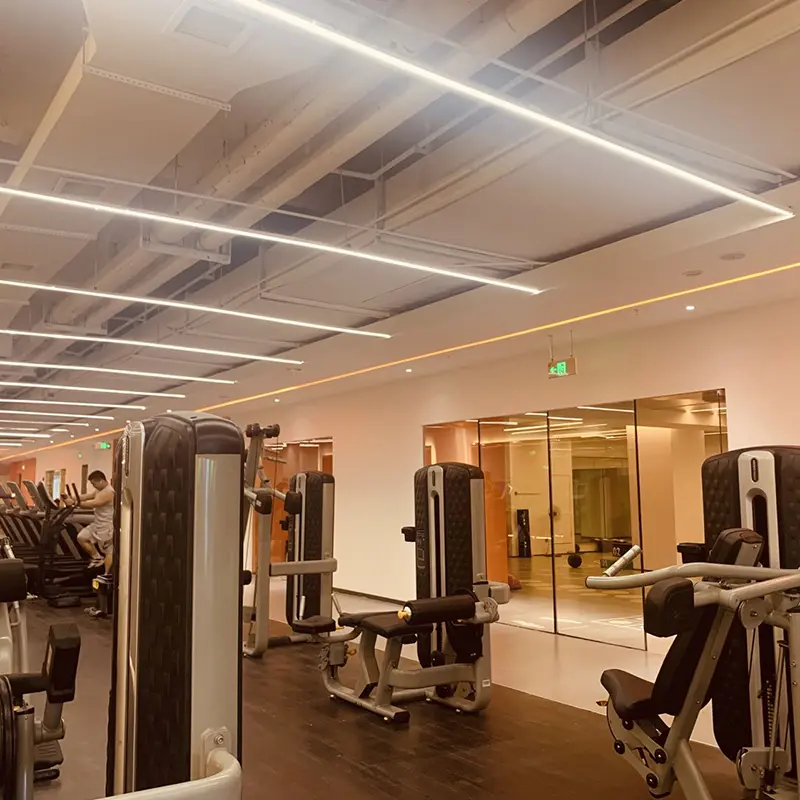
Types and Features
The diversity in LED strip lights is vast, offering a spectrum of options from basic monochrome to multicolored, feature-rich versions. Simpler models are typically single-color and come with a straightforward on/off switch. In contrast, more sophisticated strips feature various colors and patterns that can be controlled via remote, smartphone app, or even voice commands when paired with smart home devices. Some LED strips also offer dimming capabilities, allowing for the adjustment of brightness to create the perfect ambiance for any occasion. The choice of LED strip should align with the user’s lifestyle and the desired aesthetic, whether it’s the warm glow for a cozy living room or dynamic color shifts for an energetic party atmosphere.
Common LED Issues and Causes
LED strips are designed for durability, but like all technology, they can encounter issues. Flickering may occur due to voltage fluctuations or loose connections. At the same time, color inconsistencies can arise from a malfunction in the color diodes or remote sensor problems. Connectivity issues, particularly with smart LED strips, might suggest software bugs or signal interference. These problems can be corrected with a reset, which clears the memory and allows the strip to recalibrate. Understanding the common causes of these issues can help in diagnosing the problem quickly and deciding whether a simple reset is a solution or if further investigation is needed.
Preparing for Reset: The Checklist
Safety Measures
Resetting LED strip lights is relatively straightforward, but safety should always come first. Begin by turning off the primary power source. This precaution eliminates the risk of electrical shock and protects the delicate electronics within the LED strips. Ensure the workspace is well-illuminated. Proper lighting helps you see the components of your LED strip clearly, avoiding damage to the strip or connectors during the reset process. It’s also advisable to remove any objects that might interfere with your workspace to prevent accidents.
Necessary Tools
Having the right tools on hand is crucial for a smooth reset operation. The remote control for the LED strips is essential for resets that involve sequence input. Make sure it has working batteries and is functioning correctly. The user manual is your go-to resource for specific instructions related to your LED model. If your LED strip is a smart variant, ensure your smartphone has the LED controller app installed. Confirm that the app is updated to the latest version to avoid compatibility issues during the reset.
The Reset Process: A Step-by-Step Guide
Power Supply Reset Method
The power supply reset is often the first method to try. Here’s how to do it:
1. Connect the LED strip to a power source and switch it on for about five seconds. This step ensures that the strip is receiving power.
2. Turn off the strip and unplug the power adapter from the socket. This action will initiate the reset process.
3. Wait for approximately ten seconds. This pause allows the LED strip’s internal circuitry to discharge and reset.
4. Reconnect the power while simultaneously holding the power button on the strip, remote, or app. If the LED strip starts to flash or displays a sequence of colors, it indicates the reset process is working.
5. Once the LED lights show a consistent color or turn off, the reset is complete. You can then release the power button, and the LED strip should function normally.
Remote Control Reset Method
If your LED strip comes with a remote control, this reset method is appropriate:
1. Ensure the LED strip is powered on, indicating it’s ready to receive the reset command.
2. Switch off the LED strip using the remote, then disconnect the power supply to enforce the reset condition.
3. Press and hold the power button on the remote control. While holding the button, reconnect the power supply to the LED strip.
4. Hold the power button until the LED strip cycles through a sequence of colors or flashes. This indicates that the reset command has been accepted and is being processed.
5. Once the LED stops cycling or flashing, you can release the power button. Your LED strip should now be reset and respond to commands as expected.
Using Smartphone Apps for Resetting
For LED strips that are controlled via a smartphone app, the reset process typically involves a few taps on your device:
1. Open the LED controller app and ensure your smartphone is connected to the same network as your smart LED strip.
2. Navigate to the settings or device management section of the app.
3. Locate the ‘Reset’ option, which might be under a menu labeled ‘Device Settings,’ ‘System,’ or similar.
4. Follow the on-screen instructions to initiate the reset. This may involve confirming your choice or entering a device-specific code.
5. The app may indicate the progress of the reset. Once complete, your LED strip should be responsive to the app’s controls again. If issues persist, consult the user manual or contact the manufacturer’s customer support.
Advanced Resetting Techniques
Technical Resets for Smart LEDs
Smart LED strips are often equipped with advanced features and require technical knowledge for resetting. If a standard reset doesn’t work, accessing the device’s firmware through a sequence of button presses could be necessary. This might involve holding down the power button and another button, such as the mode or color change button, to enter a factory reset state. Alternatively, some smart LEDs are managed through an app with a dedicated ‘Factory Reset’ option within the settings or help menu. Always ensure that your device’s firmware is up-to-date to prevent software-related issues that can mimic hardware problems.
Resetting LED Strips Without a Reset Button
LED strips without a dedicated reset button may still be reset through a power cycle process. This method involves unplugging the strip from its power source and waiting for a set amount of time—usually around 10 seconds—before plugging it back in. Some LED strips might require a specific power cycle pattern to reset successfully, such as powering on for two seconds, off for five seconds, and then on again. It’s crucial to follow the manufacturer’s recommendations closely to avoid further issues.
Post-Reset Actions
Testing Your LED Strips
Once you’ve successfully reset your LED strips, conducting a thorough test is important to ensure they’re fully operational. Begin by checking the most basic functions: turning the lights on and off. Then, progress to more complex tasks such as adjusting the brightness, changing colors, and testing programmed sequences or modes. If your LED strips are responsive and perform as expected across these tests, the reset has been successful. If not, you may need to attempt another reset or troubleshoot further.
Preventative Tips for LED Care
To prevent the need for frequent resets, take good care of your LED strips. Ensure they are connected to a stable power supply and not subject to voltage fluctuations, which can cause performance issues. Avoid stretching the strips to their full length, as overextension can damage the circuitry. Regularly clean the strips with a soft, dry cloth to prevent dust accumulation, which can dim the lights and potentially overheat components.
Troubleshooting Post-Reset Issues
If a reset doesn’t fix the issue, it’s time to delve into troubleshooting. Start by inspecting the LED strip for physical damage, such as cut or pinched areas. Examine connectors and soldering points for looseness or corrosion. If your LED strip uses a remote control, check if the remote functions correctly by using it with another compatible device. If these steps don’t uncover the problem, contact the manufacturer’s customer support. They can provide model-specific advice, particularly useful for resolving complex issues.
Enhancing LED Strip Lifespan Tips
Longevity in LED strips is achieved through proper care and usage. Keep them away from moisture to prevent short circuits—unless they are specifically designed for outdoor use. Gently clean the surface of your strips regularly to maintain their brightness and avoid dust accumulating on the adhesive backing, which can cause the strip to fall. Lastly, handle the power supply carefully; avoid bending cables at sharp angles and protect the power adapter from impact or pressure to prevent internal damage. Regular maintenance and careful handling can significantly extend the lifespan of your LED strips.
FAQs About LED Strip Light Reset
What should I do if my LED strip lights don’t turn on?
If your LED strip lights aren’t powering on, check the power source to ensure it’s plugged in and the outlet functions. Inspect the connection points and make sure they’re securely fastened. Sometimes, it’s as simple as a loose plug or a tripped circuit breaker. If these basics are in order, examine the LED strips for any visible damage or wear that could disrupt the circuit. Additionally, check if your LED strips have a fuse that may have blown and needs replacing. If all else fails, a technical reset or consulting with the manufacturer might be necessary.
How can I locate the reset function on my LED light strips?
Resetting LED light strips usually doesn’t require a physical button. For strips that do, the reset button is often found on the control box connected to the strip. If there isn’t one, resetting may involve a power cycle procedure. For smart LED strips, the reset option might be within a companion app. Refer to the user manual specific to your model for the correct reset procedure, which varies by brand and design.
Do LED strips have built-in fuses for safety, and how can I check them?
Yes, some LED strips include fuses as a safety feature to protect against power surges. These fuses are typically located in the plug or the control box. If you suspect a blown fuse, unplug the strip and check the fuse by removing it from the holder. Look for a broken wire within the glass cylinder or discoloration, indicating it’s time to replace the fuse. Always replace with a fuse of the same size and rating to ensure the safe operation of your LED strip lights.
Is it possible to reprogram LED strip lights, and what steps are involved?
Reprogramming LED strip lights depends on the type. Standard strips with a simple controller might offer a different feature. Still, smart LED strips can often be reprogrammed via their app to change colors, set schedules, and adjust patterns. For advanced reprogramming, such as changing the firmware, technical know-how, and specific tools are required. Always back up the current settings before attempting any reprogramming to prevent data loss.
Why won’t my LED lights change color, and how can I fix it?
If your LED strip lights are stuck on one color, the issue might be the remote, controller, or the strip itself. First, check if the remote needs new batteries or if there’s an obstruction between the remote and the sensor. If you’re using an app, ensure it’s up-to-date and adequately synced with your lights. Look for any damage to the strip that might affect its ability to change colors. If these troubleshooting steps don’t help, performing a reset or consulting the manufacturer’s support may be your next course of action.
Can weather conditions affect the functioning of my LED strip lights?
Extreme weather can impact LED strip lights, especially if not rated for outdoor use. High humidity can cause moisture buildup, leading to short circuits. At the same time, intense cold or heat can affect the adhesive backing and the flexibility of the strips. Always choose LED strips that are appropriately rated for the environment they’ll be used in, and consider additional waterproofing measures if they’ll be exposed to the elements.
How do I maintain the adhesive quality of my LED strips?
To maintain the stickiness of your LED strips, clean the surface area before installation. The surface should be smooth, clean, and dry to ensure good adhesion. Over time, if the strip begins to peel, you can use additional adhesive clips or double-sided tape designed for LED strips. Keep them away from high heat sources, which can weaken the adhesive over time.
What are the signs that LED strip lights need replacing?
LED strip lights typically have a long lifespan. Still, they do need replacing when they start showing signs of wear, such as dimming, flickering, color changes, or segments of the strip not lighting up. If these issues aren’t resolved with a reset or troubleshooting, it might be time to replace them.
How can I extend the lifespan of my LED strip lights?
To prolong the life of your LED strips, ensure they’re installed on a clean, flat surface, avoid bending them at sharp angles, and keep them away from moisture unless they’re waterproof-rated. Use a stable power supply and avoid overloading the circuit with too many strips connected in series.
What are the best practices for recycling LED strip lights?
Recycling LED strip lights is important to prevent environmental harm. Contact your local waste management service to inquire about electronic waste recycling programs. Some manufacturers also offer take-back programs for their products. Permanently remove any batteries or power sources before recycling.
How to reset led strip lights remote?
To professionally reset an LED strip lights remote, adhere to these technical steps:
Power Disconnection: Initiate by severing the electrical connection to your LED strip lights to ensure safety and prevent any inadvertent changes during the reset process.
Reset Mechanism Activation: Identify the reset feature on your remote control. This may manifest as a dedicated reset button or a specific combination of buttons designed for this function. Firmly press and maintain pressure on the reset mechanism for a designated duration, typically a few seconds, to initiate the reset sequence.
Power Reinstatement: While continuously engaging the reset mechanism, restore power to the LED strip lights. This action should be performed with precision to ensure the reset command is accurately registered by the system.
Release and Confirmation: After a brief period, typically a few seconds, release the reset mechanism. The LED strip lights should respond with a visual signal, such as a series of blinks or a color change, indicating the successful acknowledgment of the reset command.
Operational Verification: Conclude the process by conducting a functional test of the remote control. This involves utilizing various controls on the remote to confirm that the LED strip lights respond appropriately, and verifying the reset was successful.
Should these steps not yield the desired outcome, it is advisable to consult the user manual specific to your LED strip lights and remote control for manufacturer-recommended reset procedures or contact technical support for professional assistance.
Where is the reset button on led lights?
The location of the reset button on LED lights can vary depending on the design and model. Common placements include:
- On the Remote Control: For LED strips controlled by a remote, the reset function might be a button on the remote itself or a specific button combination.
- On the LED Controller: Some LED strips have a small, inline controller between the power supply and the strip. The reset button, if present, might be found here.
- On the Power Adapter: In rarer cases, the reset button could be located on the power adapter or switch.
- Directly on the Strip: Very infrequently, the reset mechanism might be a small button or pinhole on the LED strip itself.
If it’s not clear, check the product’s manual or manufacturer’s website for specific instructions related to your LED light model.
Wrapping Up
When you conclude your LED strip light resetting journey, you’ll find it’s not just about fixing a temporary glitch; it’s about taking ownership of the vibrant ambiance LED lights bring to your space. This guide aims to demystify the reset process, equipping you with the know-how to tackle common LED complications effortlessly.
A successful reset breathes new life into your LEDs, ensuring they continue to function at their best, providing the full spectrum of their design capabilities. Whether restoring them to their default settings or fixing a more stubborn issue, the steps outlined in this guide are your toolkit for maintenance and troubleshooting.
Navigating the complexities of LED strip lights can be challenging. Still, with Unitop, China’s premier manufacturer of LED strip lights and LED neon flex, expert assistance is just a message away. If you find yourself with lingering questions or specific requirements, don’t hesitate to reach out. Trust in Unitop’s professional excellence and deep industry knowledge to light up your space confidently. Contact us now and illuminate your world like never before.

Tom is now the Sales Manager of Unitop (China) Co., Limited. He has been in the LED Lighting industry ever since 2005. He is an expert in sales & marketing, and factory management. He likes bodybuilding, and he is also a crazy Apple Fan! He is a hard-working guy and loves to learn and try new things.
Email: tom@unitopledstrip.com WhatsApp: +86-18680307140





Leave a Reply
Want to join the discussion?Feel free to contribute!